Best JavaScript Libraries for Building Multi-Step and Wizard Forms
Best JavaScript Libraries for Building Multi-Step and Wizard Forms
Long forms are conversion killers. Showing a user 20 fields at once is overwhelming — people abandon them. Breaking that same form into a series of focused, logical steps makes it feel manageable. Completion rates improve, user frustration drops, and you can even collect partial data before the user finishes.
This is the premise behind multi-step forms (also called wizard forms or stepped forms). And while the concept is simple — show a few fields, then a few more — building a good implementation involves managing step state, validation per step, progress indicators, back/forward navigation, and final submission. Doing all of that by hand gets messy fast.
Here’s a practical breakdown of the best libraries to handle it, organized by the stack you’re working with.
What Makes a Good Multi-Step Form Library?
Before looking at specific tools, it’s worth knowing what to evaluate:
- Per-step validation — Prevent users from advancing with invalid data on the current step
- State persistence — Don’t wipe earlier step data when the user moves forward or backward
- Progress indicator support — A visual step counter or progress bar is expected UX
- Framework compatibility — Some libraries are React-only, some are vanilla, some are anywhere
- Bundle size — Form libraries can get heavy; check before committing
- Accessibility — Keyboard navigation, ARIA roles, focus management
Let’s get into the libraries.
1. React Hook Form (React)
npm: react-hook-form | Size: ~25KB gzipped | Stars: 42k+
React Hook Form (react-hook-form) isn’t a multi-step library specifically — it’s the most widely-used React form library overall. But it handles multi-step forms elegantly because of how it manages state: each step’s values persist in the form state even as the user navigates between steps.
The pattern is to maintain a currentStep state variable, render the corresponding step component, and call trigger() to validate only the fields in the current step before allowing the user to advance.
import { useForm } from 'react-hook-form';
import { useState } from 'react';

export default function MultiStepForm() {
  const [step, setStep] = useState(1);
  const { register, handleSubmit, trigger, formState: { errors } } = useForm();

  const nextStep = async () => {
    // Validate only the fields belonging to the current step
    const fieldsToValidate = step === 1
      ? ['firstName', 'lastName']
      : ['email', 'company'];

    const valid = await trigger(fieldsToValidate);
    if (valid) setStep(s => s + 1);
  };

  const onSubmit = (data) => {
    console.log('All steps complete:', data);
    // Send to your form backend here
  };

  return (
    <form onSubmit={handleSubmit(onSubmit)}>
      {step === 1 && (
        <div>
          <h2>Step 1: Personal Info</h2>
          <input {...register('firstName', { required: true })} placeholder="First name" />
          <input {...register('lastName', { required: true })} placeholder="Last name" />
        </div>
      )}

      {step === 2 && (
        <div>
          <h2>Step 2: Work Info</h2>
          <input {...register('email', { required: true })} placeholder="Email" />
          <input {...register('company')} placeholder="Company (optional)" />
        </div>
      )}

      {step === 3 && (
        <div>
          <h2>Step 3: Review & Submit</h2>
          <button type="submit">Submit</button>
        </div>
      )}

      <div>
        {step > 1 && <button type="button" onClick={() => setStep(s => s - 1)}>Back</button>}
        {step < 3 && <button type="button" onClick={nextStep}>Next</button>}
      </div>
    </form>
  );
}
Best for: React projects where you want minimal dependencies and maximum control. React Hook Form is already in most React projects — use what you have.
2. Formik with formik-wizard-form (React)
npm: formik + formik-wizard-form | Stars (Formik): 34k+
Formik is the other major React form library. It takes a slightly different philosophy from React Hook Form — more controlled, more explicit. Building multi-step forms in raw Formik requires managing state manually, similar to the react-hook-form pattern above.
However, formik-wizard-form is a companion library that wraps Formik and provides a declarative API for defining steps:
import { FormikWizard } from 'formik-wizard-form';

const steps = [
  {
    id: 'personal',
    component: PersonalInfoStep,
    initialValues: { firstName: '', lastName: '' },
    validationSchema: personalSchema,
  },
  {
    id: 'contact',
    component: ContactStep,
    initialValues: { email: '', phone: '' },
    validationSchema: contactSchema,
  },
];

export default function App() {
  return (
    <FormikWizard
      steps={steps}
      onSubmit={(values) => console.log(values)}
      render={({ currentStepIndex, renderComponent, handleNext, handlePrev, isLastStep }) => (
        <form>
          <p>Step {currentStepIndex + 1} of {steps.length}</p>
          {renderComponent()}
          <button type="button" onClick={handlePrev} disabled={currentStepIndex === 0}>Back</button>
          <button type="button" onClick={handleNext}>{isLastStep ? 'Submit' : 'Next'}</button>
        </form>
      )}
    />
  );
}
Best for: Teams already invested in Formik who want a cleaner multi-step API rather than rolling it from scratch.
3. react-step-wizard (React)
npm: react-step-wizard | Size: ~4KB gzipped | Stars: 1k+

This is a dedicated, lightweight library for exactly this use case. It has no opinion about how you handle validation or styling — it purely manages step transitions and provides navigation helpers via a render prop.
import StepWizard from 'react-step-wizard';

const Step1 = ({ nextStep }) => (
  <div>
    <h2>Step 1</h2>
    <button onClick={nextStep}>Next</button>
  </div>
);

const Step2 = ({ previousStep, nextStep }) => (
  <div>
    <h2>Step 2</h2>
    <button onClick={previousStep}>Back</button>
    <button onClick={nextStep}>Next</button>
  </div>
);

const Step3 = ({ previousStep }) => (
  <div>
    <h2>Step 3: Done!</h2>
    <button onClick={previousStep}>Back</button>
    <button type="submit">Submit</button>
  </div>
);

export default function App() {
  return (
    <StepWizard>
      <Step1 />
      <Step2 />
      <Step3 />
    </StepWizard>
  );
}
Each step component automatically receives nextStep, previousStep, currentStep, totalSteps, and goToStep props via the wizard wrapper. Combine it with your validation library of choice.
Best for: React projects that want a minimal, dedicated wizard wrapper without coupling to a specific form library.
4. vue-form-wizard (Vue 2 / Vue 3)
npm: vue3-form-wizard (Vue 3 fork) | Stars: 1k+

The original vue-form-wizard was the go-to for Vue 2. For Vue 3 projects, vue3-form-wizard provides a maintained fork with a similar API. It includes built-in progress indicators, tab-style navigation, and slot-based step content.
<template>
  <FormWizard
    color="#f59e0b"
    title="Create your account"
    subtitle=""
    @on-complete="onComplete"
  >
    <TabContent title="Personal Info" :before-change="validateStep1">
      <input v-model="form.name" placeholder="Full name" />
      <input v-model="form.email" placeholder="Email" />
    </TabContent>

    <TabContent title="Company">
      <input v-model="form.company" placeholder="Company name" />
    </TabContent>

    <TabContent title="Confirm">
      <p>Name: {{ form.name }}</p>
      <p>Email: {{ form.email }}</p>
    </TabContent>
  </FormWizard>
</template>

<script setup>
import { FormWizard, TabContent } from 'vue3-form-wizard';
import 'vue3-form-wizard/dist/style.css';
import { reactive } from 'vue';

const form = reactive({ name: '', email: '', company: '' });

const validateStep1 = () => {
  return form.name.length > 0 && form.email.includes('@');
};

const onComplete = () => {
  console.log('Form submitted:', form);
};
</script>
The before-change prop on each TabContent accepts a function (or a promise) that returns true/false — this is where you plug in your per-step validation.
Best for: Vue 3 projects wanting a batteries-included wizard component with built-in progress UI.
5. Alpine.js (Vanilla / Any)
cdn/npm: alpinejs | Size: ~15KB gzipped
Alpine.js isn’t a form library, and it certainly isn’t a wizard library — it’s a lightweight JavaScript reactivity framework, closer in spirit to a sprinkle of jQuery than a full component system. There is no <Stepper> component to drop in, no built-in step counter, and no progress bar out of the box. You build all of that yourself.
But here’s the thing: it’s genuinely easy. A multi-step form in Alpine.js is just a single x-data object tracking the current step, and a few x-show directives hiding and revealing the right section. The entire thing fits in plain HTML — no compile step, no npm, no build pipeline required. You can drop it into any existing page with a single <script> tag and be done in an hour.
For static sites, server-rendered pages, or any project where pulling in React or Vue would be overkill, Alpine.js does the job just fine. It won’t hand you a polished wizard component, but it gives you all the reactive building blocks you need to assemble one quickly.
The entire wizard is driven by x-data and x-show:
<div x-data="{
  step: 1,
  totalSteps: 3,
  form: { name: '', email: '', message: '' },
  nextStep() { if (this.step < this.totalSteps) this.step++ },
  prevStep() { if (this.step > 1) this.step-- }
}">

  <!-- Progress indicator -->
  <div class="flex gap-2 mb-8">
    <template x-for="i in totalSteps">
      <div
        :class="step >= i ? 'bg-black' : 'bg-gray-300'"
        class="h-2 flex-1 rounded transition-colors">
      </div>
    </template>
  </div>

  <!-- Step 1 -->
  <div x-show="step === 1">
    <h2>Step 1: Your Name</h2>
    <input x-model="form.name" placeholder="Full name" />
    <button @click="nextStep" :disabled="!form.name">Next</button>
  </div>

  <!-- Step 2 -->
  <div x-show="step === 2">
    <h2>Step 2: Your Email</h2>
    <input x-model="form.email" type="email" placeholder="Email address" />
    <button @click="prevStep">Back</button>
    <button @click="nextStep" :disabled="!form.email">Next</button>
  </div>

  <!-- Step 3 -->
  <div x-show="step === 3">
    <h2>Step 3: Your Message</h2>
    <textarea x-model="form.message" placeholder="Your message"></textarea>
    <button @click="prevStep">Back</button>
    <button type="submit">Send</button>
  </div>

</div>
Alpine.js shines on static sites, Astro projects, or any context where JavaScript should be minimal and sprinkle-able rather than framework-heavy. It won’t give you a ready-made wizard — but the code example above is genuinely all you need to write one.
Best for: Static sites, Astro sites, server-rendered apps (Laravel, Django, Rails) that need a simple multi-step form without the overhead of a full JS framework. Not the right pick if you want a polished wizard component handed to you out of the box.
Need Forms For Your Static Site?
FiraForm is the headless form backend built specifically for static sites. No backend code needed—just point your forms to our endpoint and we'll handle submissions, validation, notifications, and more.
Free tier available • No credit card required
6. jQuery SmartWizard (jQuery)
npm: jquery-smartwizard | Website: techlaboratory.net/jquery-smartwizard
jQuery gets a bad reputation in modern development circles, but the reality is that it still powers a massive portion of the web. WordPress alone runs on over 40% of all websites — and WordPress ships with jQuery. Countless production applications, dashboards, and Bootstrap-based projects rely on it every day. jQuery isn’t going anywhere, and it doesn’t need to.
jQuery SmartWizard is a great example of the ecosystem keeping pace. Currently on version 7, it’s actively maintained with regular updates and is available on npm. It provides a full-featured wizard UI with step navigation, progress bar, keyboard support, and multiple built-in themes — everything you’d expect from a modern component.
The structure uses a <ul> for step anchors and <div> blocks for step content:
<div id="wizard">
  <ul>
    <li><a href="#step-1">Personal Info</a></li>
    <li><a href="#step-2">Contact</a></li>
    <li><a href="#step-3">Confirm</a></li>
  </ul>

  <div id="step-1">
    <input name="firstName" placeholder="First name" />
    <input name="lastName" placeholder="Last name" />
  </div>

  <div id="step-2">
    <input name="email" type="email" placeholder="Email" />
  </div>

  <div id="step-3">
    <p>Review your details and submit.</p>
    <button type="submit">Submit</button>
  </div>
</div>

<script>
$(function () {
  $('#wizard').smartWizard({
    theme: 'default',
    transition: { animation: 'slideHorizontal' },
    toolbarSettings: { toolbarPosition: 'bottom' },
  });

  // Per-step validation hook
  $('#wizard').on('leaveStep', function (e, anchorObject, stepNumber, stepDirection) {
    if (stepDirection === 'forward') {
      // Return false to block advancing; true to allow
      return validateStep(stepNumber);
    }
    return true;
  });

  // Final submission
  $('#wizard').on('showStep', function (e, anchorObject, stepNumber) {
    if (stepNumber === 2) {
      // Last step reached — wire up your submit logic here
    }
  });
});
</script>
Best for: Any jQuery project that needs a polished, actively maintained wizard with built-in theming, npm support, and a clean event-driven API.
7. CoreUI Stepper (Bootstrap, Angular, React, Vue — Pro)
Package: @coreui/coreui-pro | License: Commercial (CoreUI Pro)
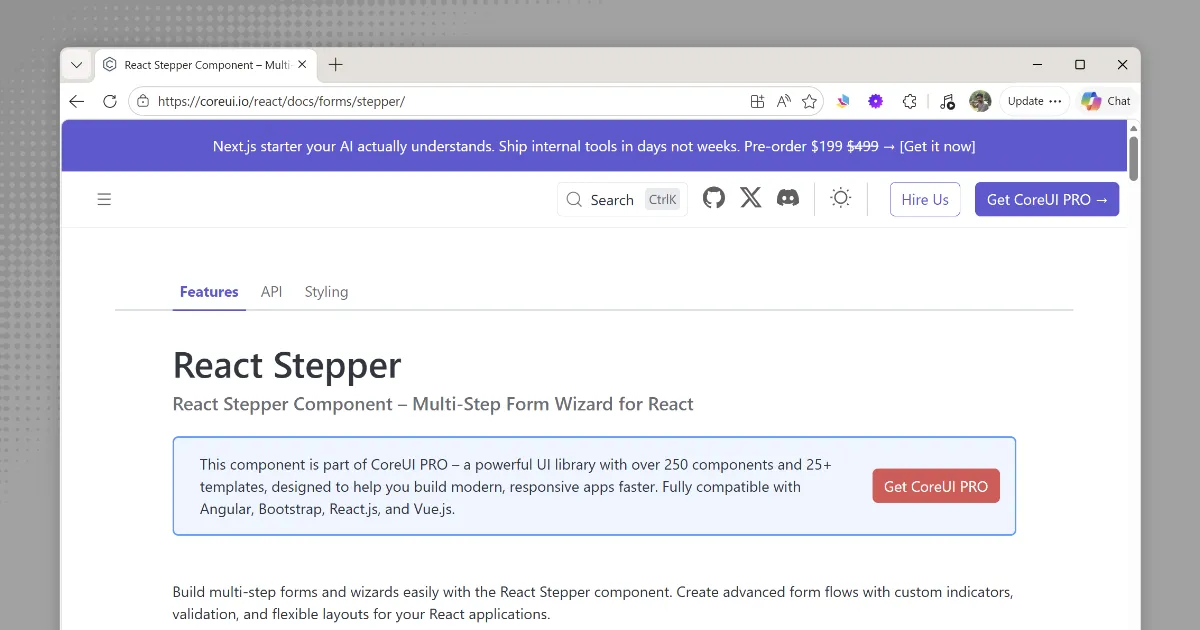
CoreUI is a UI component library that covers Bootstrap, Angular, React, and Vue under one roof. Its Stepper component provides a polished, accessible multi-step form UI out of the box — with step indicators, progress bar, validation states, and full theming support.
The same Stepper is available across all four framework flavours, so if your organisation uses mixed stacks, the visual output and API stay consistent.
Here is how the Bootstrap HTML variant looks:
<div class="stepper" id="myStepper">
  <div class="stepper-header">
    <div class="stepper-step active">
      <button class="stepper-step-button" type="button">1</button>
      <span class="stepper-step-label">Personal Info</span>
    </div>
    <div class="stepper-step">
      <button class="stepper-step-button" type="button">2</button>
      <span class="stepper-step-label">Contact</span>
    </div>
    <div class="stepper-step">
      <button class="stepper-step-button" type="button">3</button>
      <span class="stepper-step-label">Confirm</span>
    </div>
  </div>

  <div class="stepper-content">
    <div class="stepper-pane active" data-step="1">
      <input name="firstName" class="form-control" placeholder="First name" />
      <input name="lastName" class="form-control mt-2" placeholder="Last name" />
    </div>
    <div class="stepper-pane" data-step="2">
      <input name="email" type="email" class="form-control" placeholder="Email" />
    </div>
    <div class="stepper-pane" data-step="3">
      <p>Review your details and click submit.</p>
      <button type="submit" class="btn btn-primary">Submit</button>
    </div>
  </div>
</div>
And the equivalent React usage:
import { CStepper, CStepperItem } from '@coreui/react-pro';

export default function OnboardingWizard() {
  return (
    <CStepper>
      <CStepperItem title="Personal Info">
        <input name="firstName" placeholder="First name" />
      </CStepperItem>
      <CStepperItem title="Contact">
        <input name="email" type="email" placeholder="Email" />
      </CStepperItem>
      <CStepperItem title="Confirm">
        <button type="submit">Submit</button>
      </CStepperItem>
    </CStepper>
  );
}
The main caveat is licensing: the Stepper component is part of CoreUI Pro, which requires a paid licence. CoreUI’s free tier does not include it. If you’re already using a CoreUI Pro licence for other components (DataGrid, DateRangePicker, etc.), the Stepper comes along at no extra cost. Otherwise, weigh the licence fee against the alternatives above.
Best for: Teams already on a CoreUI Pro licence, or organisations that need a single consistent stepper component across Bootstrap, Angular, React, and Vue projects.
Comparison at a Glance
| Library | Framework | Size | Per-Step Validation | Progress UI |
|---|---|---|---|---|
| React Hook Form | React | ~25KB | Manual (trigger()) | DIY |
| formik-wizard-form | React | ~35KB + Formik | Via Yup schema | DIY |
| react-step-wizard | React | ~4KB | DIY | DIY |
| vue3-form-wizard | Vue 3 | ~20KB | before-change prop | Built-in |
| Alpine.js | Vanilla / Any | ~15KB | :disabled bindings | DIY |
| jQuery SmartWizard | jQuery | ~20KB | leaveStep event hook | Built-in |
| CoreUI Stepper | Bootstrap / Angular / React / Vue | Varies | Built-in validation states | Built-in |
Common Pitfalls to Avoid
Clearing state on navigation. The most common bug — each step remounts and wipes earlier data. Use a top-level state container (React Hook Form’s form state, a Pinia store, Alpine’s x-data, etc.) that persists across steps.
Validating all fields on every step. Only validate fields visible in the current step. Validating future steps blocks the user from advancing even when they haven’t seen those fields yet.
No “Back” button. Always allow users to go back. Forcing a forward-only flow frustrates users who made a mistake in an earlier step.
Submitting on every step. Unless you intentionally want to save partial progress (which can be valuable for long onboarding flows), only submit on the final step.
Ignoring mobile. Multi-step forms can be great on mobile — one focused step at a time. But make sure your progress indicator and navigation buttons are large enough to tap, and that the keyboard doesn’t obscure your fields.
Which Should You Choose?
- React project → Start with React Hook Form. It’s probably already in your project. If you want a readymade wizard wrapper, add
react-step-wizard. - Vue 3 project →
vue3-form-wizardfor a batteries-included solution. - Static site / Astro / Server-rendered → Alpine.js. Tiny, no build step required, works everywhere.
- jQuery project → jQuery SmartWizard. Actively maintained, on npm, and works with any jQuery-based project.
- CoreUI Pro users → CoreUI Stepper works across Bootstrap, Angular, React, and Vue with zero extra cost if you already hold a Pro licence.
The best library is the one that fits the tools you’re already using. Don’t add a new framework for a form.
Handling Submissions
Building the wizard UI is only half the problem. Once the user completes all steps, you need somewhere to send the data — especially on static sites that have no backend.
For static sites built with Astro, Next.js, or plain HTML, you can use a headless form backend to handle submissions without any server code. FiraForm supports POST submissions from any frontend and handles storage, email notifications, and spam filtering out of the box.
<!-- On your final step, point your form action at FiraForm -->
<form action="https://submit.firaform.com/f/your-form-id" method="POST">
  <!-- hidden fields from earlier steps -->
  <input type="hidden" name="firstName" :value="form.firstName" />
  <input type="hidden" name="email" :value="form.email" />
  <!-- final step visible fields -->
  <button type="submit">Submit</button>
</form>
Or use fetch for a fully JS-driven submission at the end of your wizard:
async function submitForm(allStepData) {
  const response = await fetch('https://submit.firaform.com/f/your-form-id', {
    method: 'POST',
    headers: { 'Content-Type': 'application/json' },
    body: JSON.stringify(allStepData),
  });

  if (response.ok) {
    // Show success message
  }
}
No backend to write or maintain. You wire up your wizard with whichever library fits your stack, and let FiraForm handle the rest.