Kafkai Review: An AI-First SEO Research Companion for Builders
Kafkai Review: An AI-First SEO Research Companion for Builders
Before social media became the main way people found things online, I spent a lot of time on SEO. I kept up the basics after that, but stopped watching rankings closely. SEO never went away, of course—and now there’s GEO, generative engine optimization, to think about too.
I launched FiraForm a few months ago and did the usual minimum. What I hadn’t done was check how the site was actually doing: which queries it showed up for, which pages earned impressions, where it stood against competitors.
I already use AI to write and edit content. What was missing was a feedback loop. OpenCode is where I start and maintain projects, so it was natural to ask my assistant how the site was doing. Kafkai’s MCP connection makes that possible.
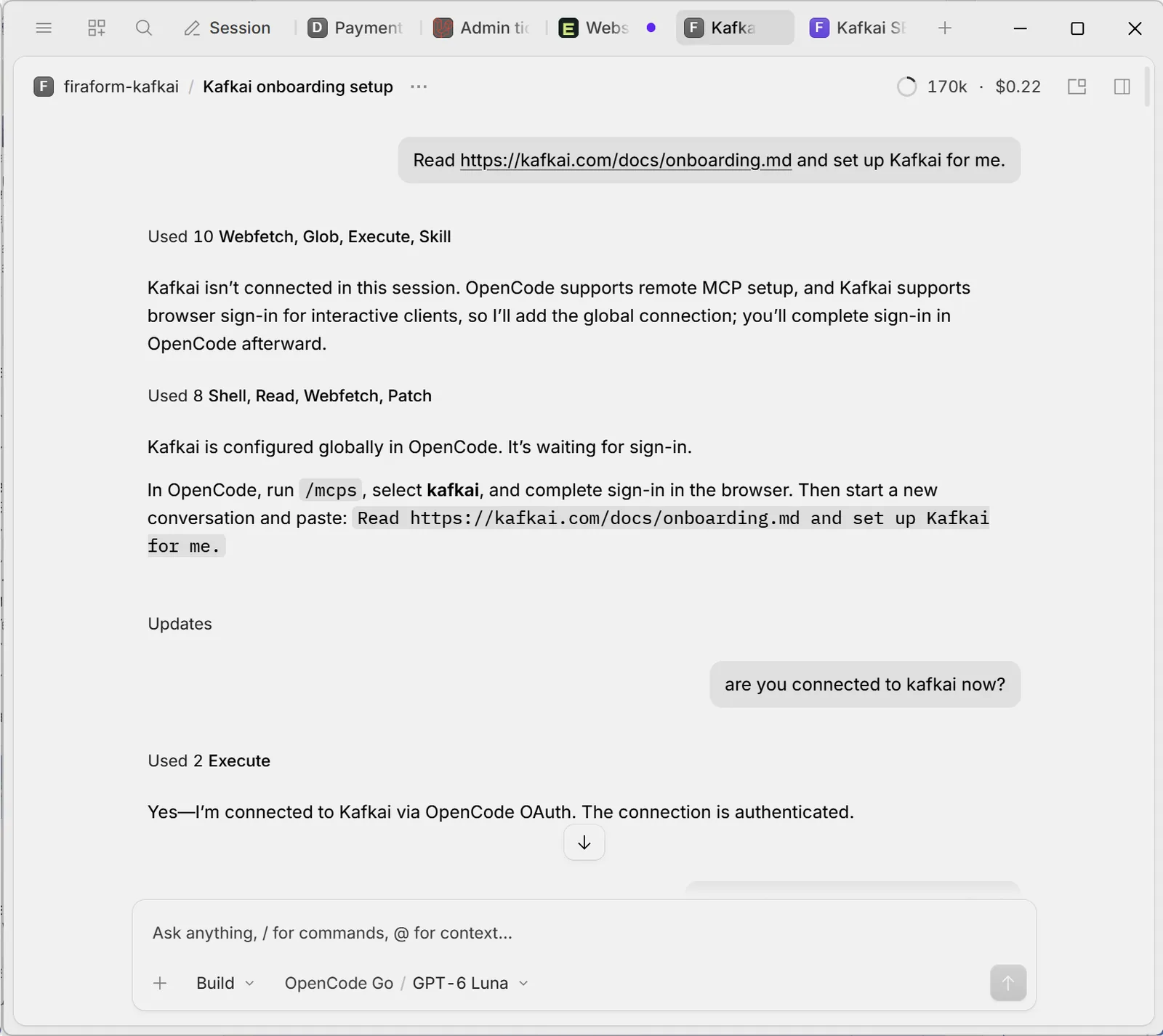
Setting up Kafkai inside OpenCode: the assistant read the onboarding doc, added the connection globally, and handed off the sign-in step.
What Kafkai Is
 Kafkai is a paid SEO data service that plugs into the AI assistant you already use—Claude, ChatGPT, or an MCP client like OpenCode. There’s no separate dashboard to log into. You ask a question and it answers from live search data: the keywords a site ranks for, who it competes with, who links to it, and what changed after you published.
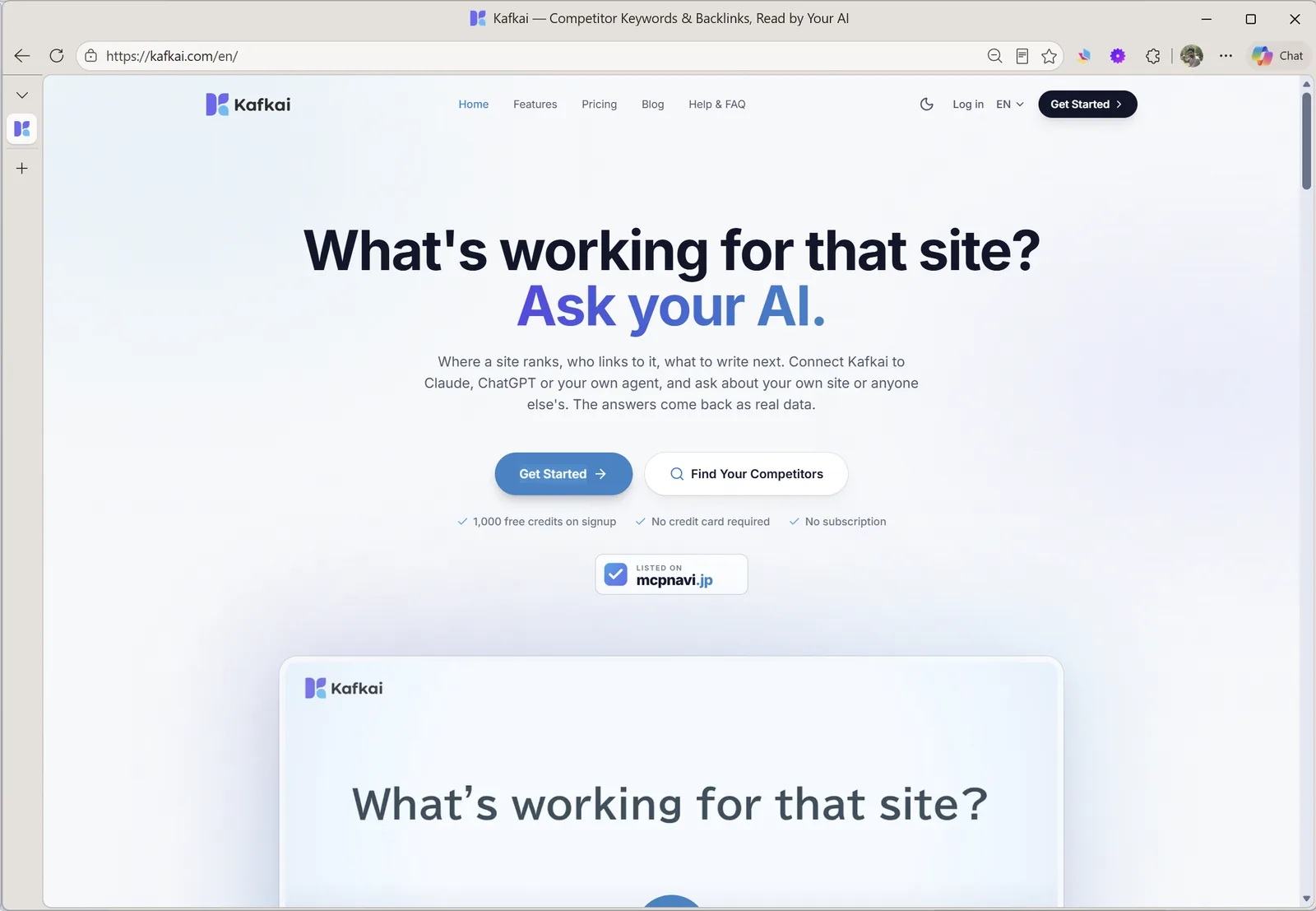
Kafkai’s pitch is unusually literal: keep your assistant, add the data.
Kafkai also sorts each site’s keywords into four groups it calls the 4C framework—Compete, Catch-up, Consolidate, Complement—so a recommendation arrives with a reason attached rather than a bare list. You pay per question: credits go in, and each call reports what it cost.
A Personal Connection to Kafkai
I know Kafkai’s founder, Iqbal Abdullah, from the Laloka Labs days. In May 2026, Laloka Labs became Kafkai Giken, which I read as a sign of sharper focus on the product—though that’s my interpretation, not inside knowledge. Iqbal runs the company remotely from Japan, and it’s been interesting to watch the identity develop.
Disclosure: I know the founder personally. The credits used in this test were Kafkai’s standard 1,000-credit signup grant; I bought nothing. This review reflects my hands-on use of the product, not an independent benchmark.
What I Tried
I created a Kafkai project for FiraForm targeting the United States. That market setting matters: Kafkai’s research reads one country’s search results, so it’s worth choosing the market you actually care about instead of assuming one project covers the world.
The first charge was 500 credits to research firaform.com. Before spending anything else, the assistant told me what the next step would cost—50 credits to find competitors plus 0.1 per site returned—and waited for a go-ahead.
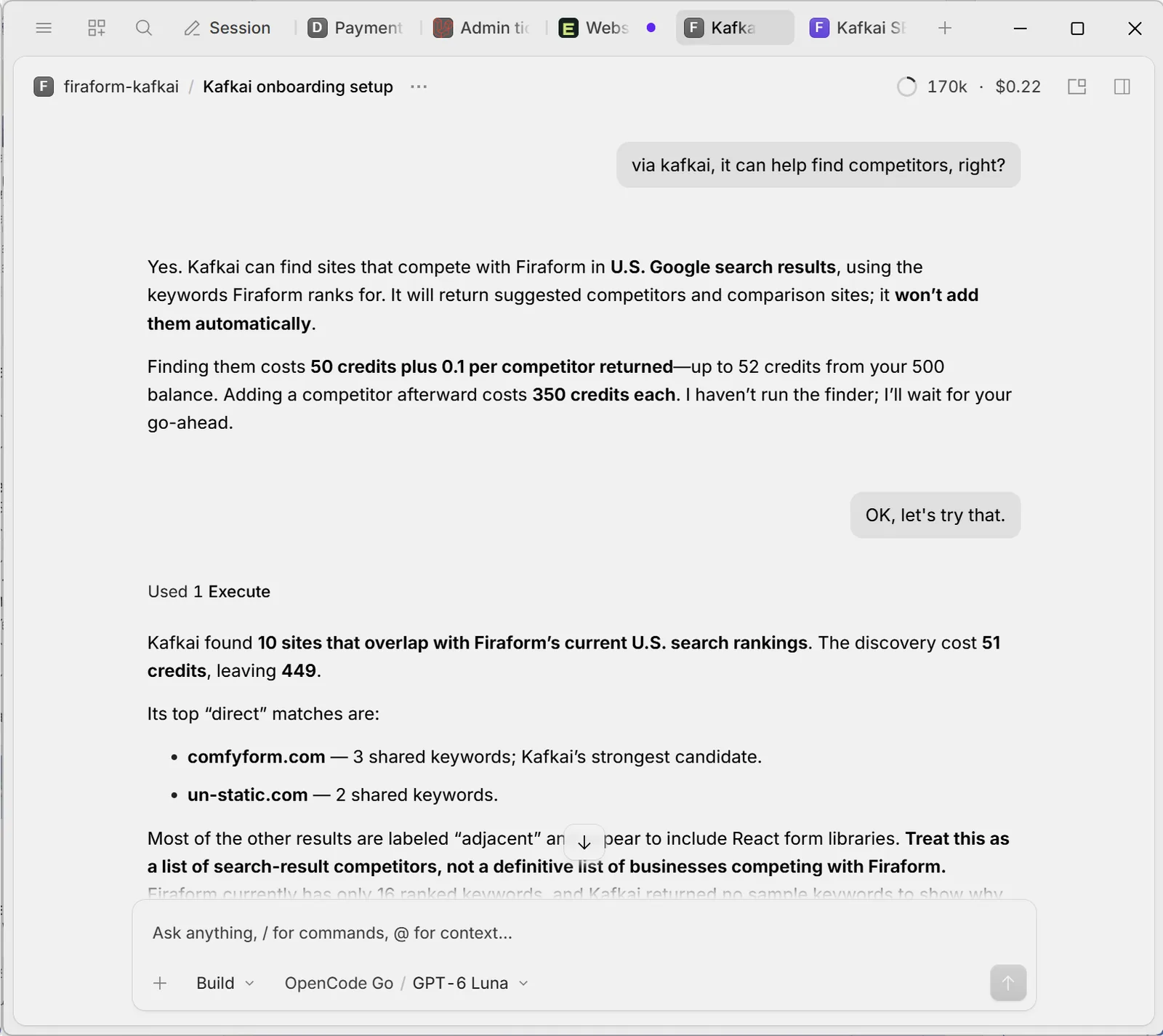
Ten overlapping sites for 51 credits. The assistant flagged the limits of the list before I read the names.
Kafkai returned 10 sites that overlapped with FiraForm’s U.S. rankings. The top direct match was comfyform.com, with three shared keywords; a second site, un-static.com, shared two. Most of the rest were labeled adjacent—React form libraries and similar—which is why the list needs reading rather than skimming.
There’s a size problem underneath that. FiraForm had only 16 ranked keywords at the time, so every overlap number was going to be small. The assistant said as much: treat this as a list of search-result competitors, not a definitive list of businesses competing with FiraForm.
That distinction is the useful part. Search competitors and business competitors aren’t the same thing. A site can overlap with yours in Google and never come up in a buying conversation.
Comfyform was still a genuine find—a service I hadn’t known about. I added it to the project for 350 credits and compared visibility. The comparison pointed at form-submission notifications and spam protection, areas FiraForm already works on but had written little about.
The Useful Part: Leads, Not Instructions
With the domain verified, Kafkai read FiraForm’s Search Console data and surfaced queries worth a closer look. One was “Formspree alternative”: FiraForm’s page sat around position 15, with 25 impressions and no clicks in the 28-day window I reviewed. It’s also the query behind my earlier Formspree alternatives comparison, which made it worth taking seriously.
The zero is less alarming than it sounds. At position 15, click-through rates run well under 1 percent, so 25 impressions predict a fraction of a click. The signal isn’t “this page is failing.” It’s “this query is close enough to matter, and the page deserves a deliberate look.”
Other flagged queries were less relevant. “Visual website builder” doesn’t describe what FiraForm does. And “getform” looked promising until I checked what people mean by it: getform.com is a landing-page builder, while getform.io redirects to Forminit, a form backend. Same keyword, two different intents, neither one cleanly FiraForm’s. I didn’t treat it as an opportunity.
That’s where Kafkai works best for me. It gives me leads and evidence to investigate, not a list of instructions to follow blindly. A tool can tell you that a keyword is related; it can’t tell you that the people typing it want something you don’t sell.
Setup Could Be More Guided
The AI-led workflow made the first steps easy. I asked, the assistant read Kafkai’s onboarding document, added the MCP connection, and told me to finish sign-in in the browser. What it didn’t do was walk me through everything that mattered afterward. Domain verification and granting Kafkai access to Search Console required some discovery on my part.
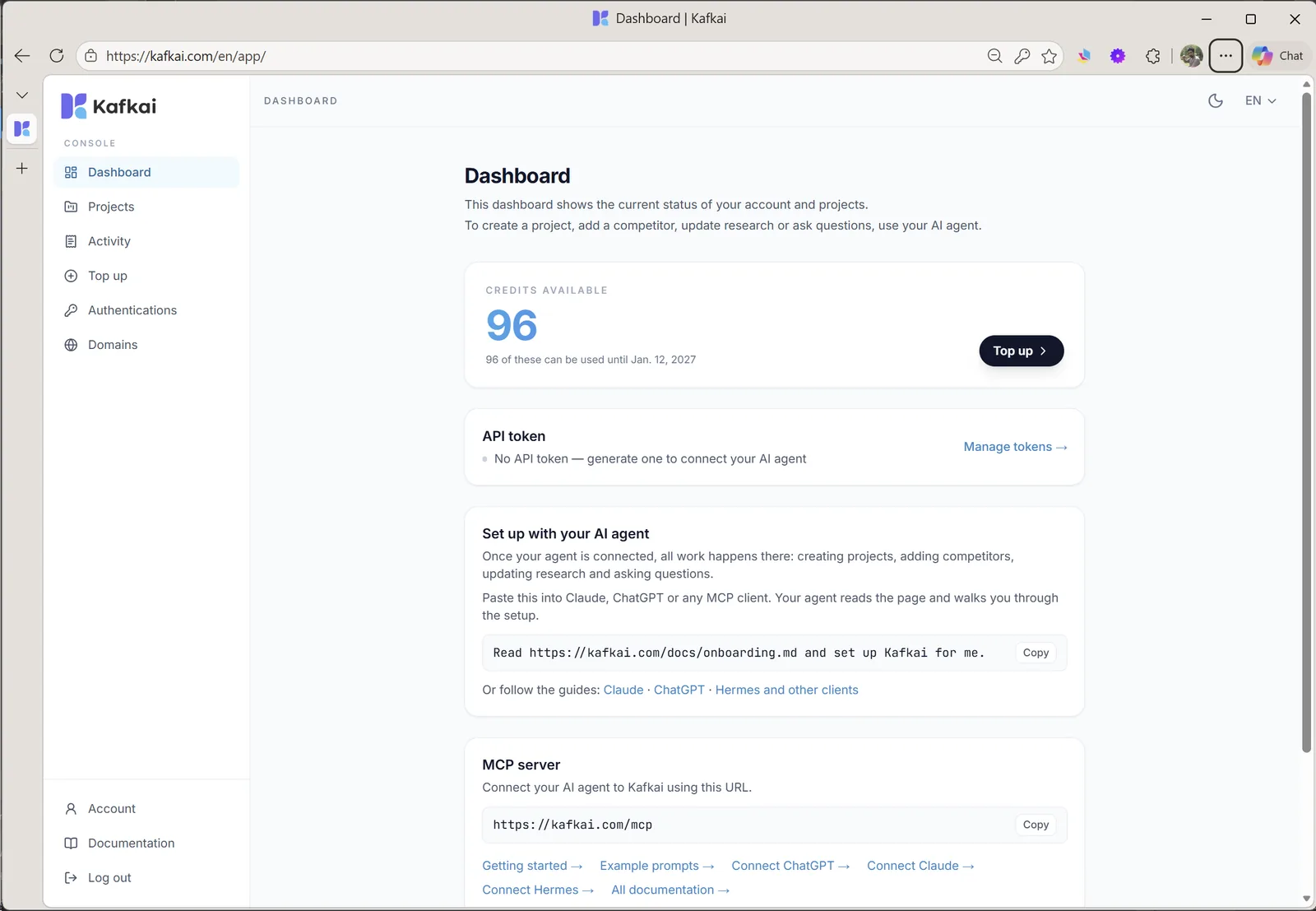
The console is mostly a status page: credits, the MCP endpoint, and a prompt that hands setup to your agent.
That’s the clearest improvement I’d ask for. When a project is created through an assistant, the assistant should reliably offer a checklist: verify the domain by DNS, connect Search Console, connect GA4. The integrations can stay optional, but their value and their setup steps shouldn’t be easy to miss.
What the Trial Cost
| What I did | Credits |
|---|---|
| Created the FiraForm project (U.S. market) | 500 |
| Found competitors (10 sites returned) | 51 |
| Added Comfyform as a competitor | 350 |
| Competitor analysis | 2 |
| One Search Console insights call | 1 |
| Total consumed | 904 |
| Left in the account | 96 |
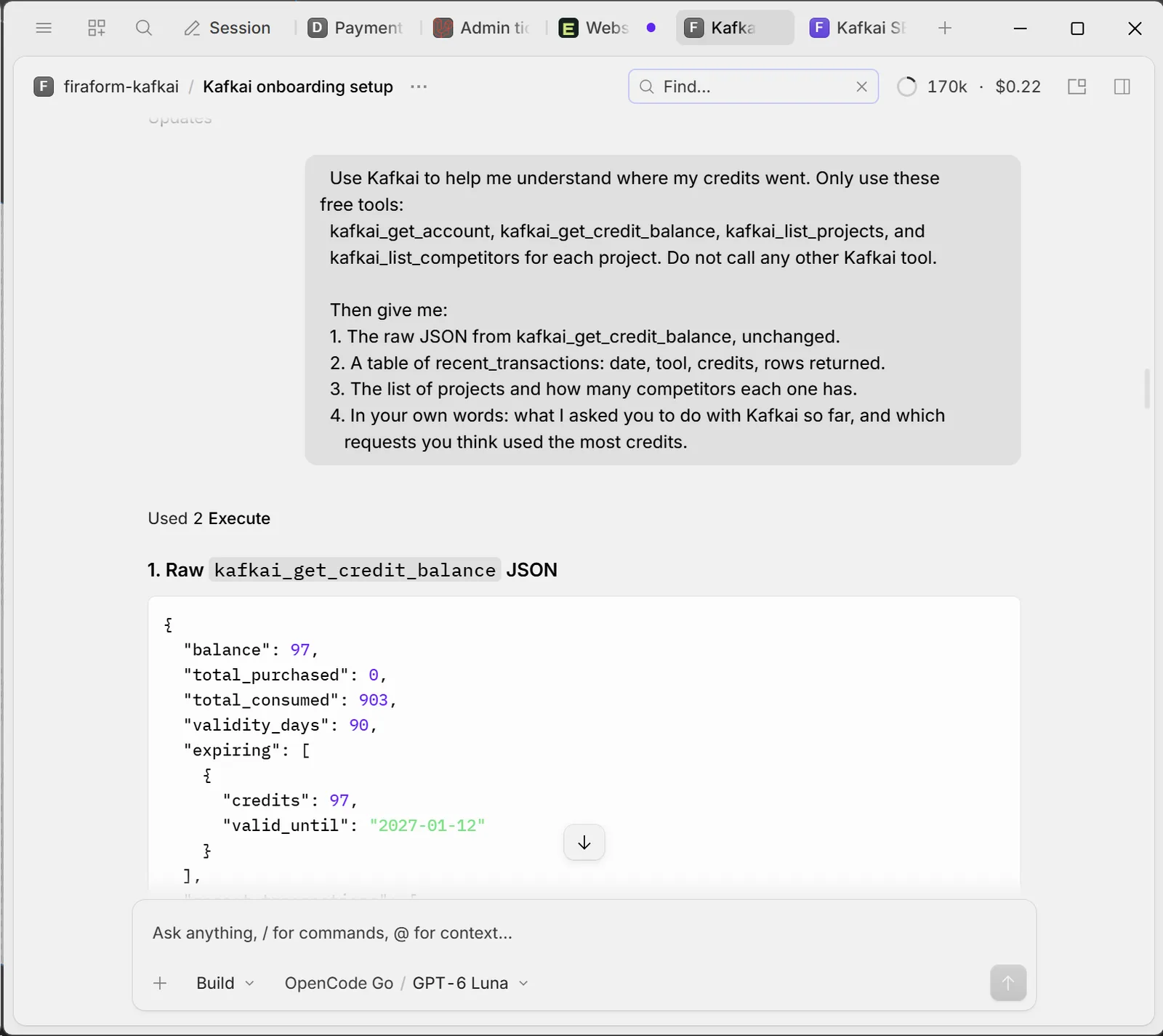
The ledger after 903 credits: 97 left, with a 90-day expiry. The Search Console read that followed took the balance to 96.
The account started with 1,000 free credits, no card required. Kafkai prices in yen, at one credit to one yen before tax, so the test came to roughly ¥903—about US$6 at current exchange rates—and the remaining credits expire on January 12, 2027.
That’s the part worth sitting with. There’s no monthly fee and no seat license, so evaluating the tool costs a few dollars instead of a month of a subscription you might not use. This is the cost of my particular test, not a promise of what every workflow will cost, so check Kafkai’s current pricing before starting your own research.
The Verdict
A good fit if you already work with an AI assistant and want a faster answer to “what is my site actually doing?” It’s most useful in the first pass: finding overlap you didn’t know about, spotting queries that are close but not winning, and turning a vague intention to “look at SEO” into a short list of pages to read.
A poor fit if you want a finished strategy, a content calendar, or a dashboard to hand to a client. Kafkai returns data and suggestions; the judgment stays with you. It also can’t rescue a keyword whose intent doesn’t match your product—getform didn’t become an opportunity just because a tool recommended it.
What I’d change: the guided checklist for verification and integrations, plus more context about the intent behind a keyword, not just its relevance. The two aren’t the same, and telling them apart is where most of my review time went.
For me, it made an old habit feel approachable again. I’d recommend trying Kafkai if you already work with an AI assistant and want help exploring SEO data—as a research companion, not an automatic strategist.
How to Try It Yourself
- Create a Kafkai account. New accounts get 1,000 free credits, no card required, valid for 90 days.
- Connect the MCP server to your assistant. In OpenCode, run
/mcps, select Kafkai, and finish sign-in in the browser. Kafkai publishes an onboarding guide that an agent can follow on its own. - Create a project for your site and set the country you care about. Research is priced per site: 500 credits for yours, 350 per competitor.
- Verify your domain if you want Search Console data. Without it, Kafkai can still read your public rankings.
- Ask a narrow question first, and check the cost before running anything broad.
Give it a try
Try Kafkai With 1,000 Free Credits
That’s enough to run the same first pass I did: a project for your site, a competitor search, and one competitor added. This trial used 904 credits in total. No credit card, no subscription, and the credits stay valid for 90 days.
Create a Free Kafkai Account →
About This Review
This review covers an October 2026 trial with one FiraForm project targeting the U.S. and one tracked competitor. I evaluated keyword research and Search Console insights. I did not test every Kafkai feature, and I didn’t measure long-term ranking results. Screenshots come from my own OpenCode session, and the figures are what the tools returned at the time.
Need Forms For Your Static Site?
FiraForm is the headless form backend built specifically for static sites. No backend code needed—just point your forms to our endpoint and we'll handle submissions, validation, notifications, and more.
Free tier available • No credit card required